
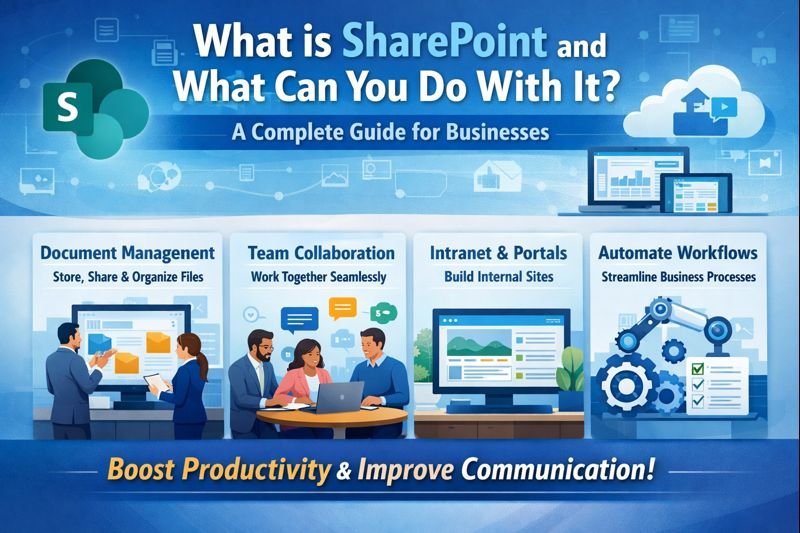
What is SharePoint?
SharePoint is a web-based collaboration and document management platform developed by Microsoft. It allows organizations to store, manage, share, and access information from anywhere securely. With SharePoint, teams can work together on files, create internal portals, automate workflows, manage projects, and build powerful intranet systems.
SharePoint integrates seamlessly with Microsoft 365 tools like Microsoft Teams, Outlook, OneDrive, Power Automate, Power BI, and Word, making it a complete digital workplace solution.
What Can You Do With SharePoint?
SharePoint is far more than just a document storage platform. Here are the major things you can do using SharePoint:
1. Document Management & Secure File Storage
One of the biggest uses of SharePoint is its powerful document management capability. You can:
- Store business files within the storage and file limits of your plan
- Organize documents in structured folders
- Control file access and permissions
- Enable version control to track file changes
- Prevent data loss with advanced security
Employees can work on the same document in real-time, ensuring smooth collaboration without email chaos.
2. Build Powerful Intranet & Communication Portals
SharePoint allows companies to build internal communication portals and intranet websites where employees can access:
- Company updates and announcements
- HR policies and guidelines
- Team directories
- Knowledge base
- Internal news and events
This improves transparency, employee engagement, and communication across the organization.
3. Team Collaboration and Project Management
With SharePoint, teams can collaborate easily no matter where they are located. You can:
- Create dedicated team sites
- Assign tasks
- Share project documents
- Track project progress
- Discuss ideas and updates
When integrated with Microsoft Teams, SharePoint becomes even more powerful for hybrid and remote teams.
4. Workflow Automation
Manual business processes consume time and increase human error. SharePoint, along with Power Automate, lets you automate workflows like:
- Leave approval process
- Document approvals
- Employee onboarding
- Expense approvals
- Support ticket management
Automation helps companies improve efficiency and reduce workload.
5. Create Custom Business Applications
SharePoint also allows organizations to develop custom business solutions using Power Apps and SharePoint lists. Using low-code tools, suitable licensing and configured connectors, teams can build:
- Employee management systems
- Customer database portals
- Attendance systems
- Helpdesk portals
This makes SharePoint a flexible and scalable solution for any industry.
6. Secure Data Sharing and Access Control
Security is one of the key strengths of SharePoint. Businesses can:
- Restrict access based on roles
- Apply data encryption
- Enable multi-factor authentication
- Monitor user activity
- Prevent unauthorized downloads
These capabilities support a security programme when correctly configured. Compliance requires a separate assessment of your organisation’s obligations.
Benefits of Using SharePoint
Using SharePoint provides multiple business advantages, including:
- Enhanced collaboration and teamwork
- Centralized information management
- Increased productivity
- Reduced operational costs
- Improved data security
- Better remote work support
With SharePoint, your workforce stays connected, informed, and efficient.
Who Should Use SharePoint?
SharePoint is ideal for:
- IT Companies
- Corporates
- Manufacturing Firms
- Educational Institutions
- Government Organizations
- Healthcare Institutions
- SMBs and Enterprises
Any organization that wants to manage data, improve communication, and boost productivity can benefit from SharePoint.
Plan the next step
Discuss your requirements with DigiVista. Scope, licensing, service coverage, delivery and ongoing support are agreed for each engagement.
Apply this to your business
Discuss your current environment, users, locations and priorities so DigiVista can define the appropriate scope.