Table of Contents

Quick overview of topics covered in this article

    Strengthen Your Data Protection with Expert Backup Solutions

    In an era where data is one of your most valuable assets, ensuring its safety and availability is paramount. At DigiVista Infotech our IT consultancy services are designed to build and maintain a comprehensive backup strategy that safeguards your business against data loss and ensures continuity. Discover how our expertise can enhance your backup solutions:
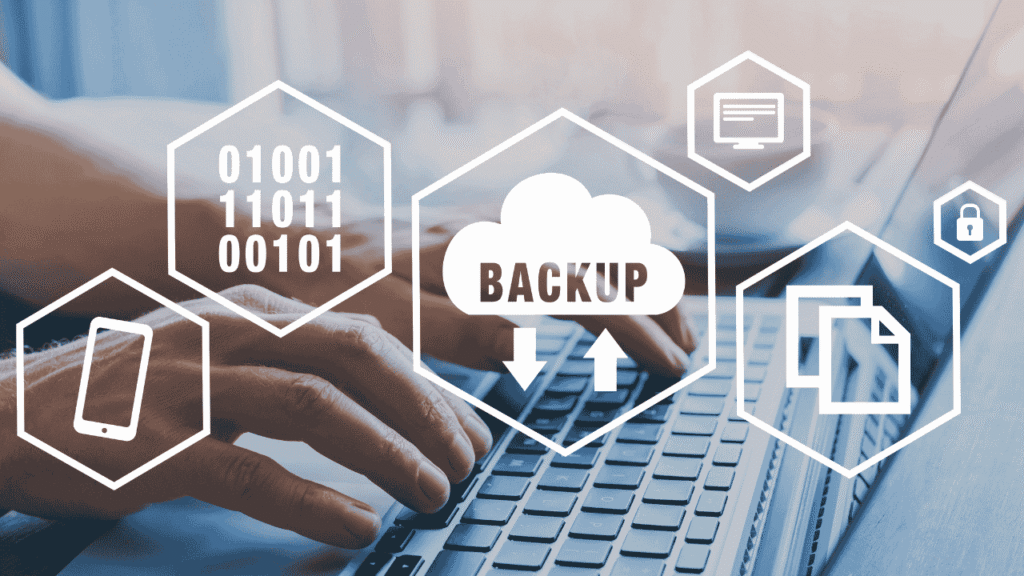
    Strengthen Your Data Protection with Expert Backup Solutions

    How IT Consultancy Can Enhance Your Backup Strategy

    1. Needs Assessment & Planning

    • Data Assessment: Analyze your data types, volumes, and criticality to determine backup requirements.
    • Business Impact Analysis: Identify key applications and data essential for business continuity.
    • Backup Objectives: Define Recovery Point Objectives (RPO) and Recovery Time Objectives (RTO) based on your business needs.

    2. Design & Implementation

    • Backup Solutions Design: Develop a tailored backup architecture that includes on-premises, cloud, or hybrid solutions.
    • Technology Selection: Recommend appropriate backup technologies and tools that align with your requirements.
    • Implementation: Set up and configure backup systems, including data backup schedules and storage solutions.

    3. Data Security & Encryption

    • Encryption: Implement encryption protocols to protect data both in transit and at rest.
    • Access Controls: Set up strict access controls to ensure only authorized personnel can access backup data.
    • Compliance: Ensure backups meet industry standards and regulatory requirements for data protection.

    4. Testing & Validation

    • Regular Testing: Conduct periodic tests of backup systems to verify data integrity and restoration processes.
    • Validation: Ensure that backup solutions effectively meet RPO and RTO objectives.
    • Disaster Recovery Drills: Simulate disaster scenarios to test backup and recovery processes.

    5. Monitoring & Maintenance

    • Ongoing Monitoring: Continuously monitor backup systems for performance, failures, and issues.
    • Maintenance: Perform regular updates and patches to backup software and systems.
    • Performance Optimization: Optimize backup processes for efficiency and speed.

    6. Documentation & Training

    • Documentation: Create detailed documentation of backup procedures, configurations, and recovery plans.
    • Training: Provide training for your IT team on backup management, recovery procedures, and best practices.

    7. Support & Consultancy

    • 24/7 Support: Offer round-the-clock support for backup issues and emergencies.
    • Consultative Services: Provide ongoing advice and recommendations for evolving backup strategies in response to changing business needs and technology advancements.

    Proposed Backup Services for Your Organization:


    1. Comprehensive Backup Strategy Development

    • Tailored backup planning to fit your specific organizational needs and risk profile.

    2. Cloud Backup Solutions

    • Scalable and flexible cloud-based backup solutions for secure off-site storage.

    3. On-Premises Backup Solutions

    • Robust on-premises backup systems for high-speed data recovery and local redundancy.

    4. Hybrid Backup Solutions

    • Combine on-premises and cloud backups to ensure both local and remote data protection.

    5. Disaster Recovery Planning

    • Develop and implement a disaster recovery plan to ensure rapid recovery in the event of a major incident.

    6. Data Archiving Solutions

    • Long-term data archiving solutions for compliance and data retention requirements.

    7. Backup Audits & Health Checks

    • Regular audits and health checks to assess the effectiveness and reliability of backup systems.

    8. Data Migration Services

    • Assistance with data migration to new backup systems or platforms to ensure seamless transitions.

    9. Compliance and Regulatory Support

    • Ensure backup solutions comply with relevant regulations and industry standards.

    10. Customized Training Programs

    • Tailored training sessions for staff on backup procedures, data recovery, and best practices.

    Ready to Fortify Your Data Protection? 

    Partner with Digivista Infotech to build a robust backup solution that ensures the safety and availability of your critical data. Contact us today to discuss your backup needs and discover how we can help secure your business continuity.

    Contact Us:

    • Email: info@digivistainfotech.com
    • Phone: +91 9310879107

    Know more about backup solution


    Note : To build a streamlined backup solution, it’s essential to understand the types of backups and the tools that can be employed to effectively manage and protect your data. Here’s a comprehensive overview of the different types of backups and the tools commonly used:

     Types of Backup

    1. Full Backup

      • Description: A complete copy of all selected data. It serves as a baseline for other types of backups.
      • Pros: Simple to restore from, as all data is in one place.
      • Cons: Time-consuming and requires significant storage space.
    2. Incremental Backup

      • Description: Captures only the changes made since the last backup (full or incremental).
      • Pros: Faster and requires less storage compared to full backups.
      • Cons: Restoration can be complex, as it requires the last full backup plus all incremental backups.
    3. Differential Backup

      • Description: Backs up all changes made since the last full backup.
      • Pros: Faster restoration compared to incremental backups, as only the last full and last differential backups are needed.
      • Cons: Requires more storage than incremental backups, as the size grows with each differential backup.
    4. Snapshot Backup

      • Description: Captures the state of a system or data at a specific point in time.
      • Pros: Quick to create and restore; often used for virtual machines and databases.
      • Cons: Typically not a standalone backup solution; often used in conjunction with other types of backups.
    5. Continuous Data Protection (CDP)

      • Description: Provides real-time backup by capturing changes continuously.
      • Pros: Minimizes data loss, as backups are updated in real-time.
      • Cons: Requires more storage and can be resource-intensive.
    6. Cloud Backup

      • Description: Data is backed up to an off-site cloud storage service.
      • Pros: Provides remote access and protection from local disasters; scalable.
      • Cons: Dependent on internet connectivity; ongoing costs for cloud storage.
    7. Local Backup

      • Description: Data is backed up to local storage devices, such as external hard drives or network-attached storage (NAS).
      • Pros: Faster backup and recovery times; no dependency on internet.
      • Cons: Vulnerable to local disasters and theft.
    8. Hybrid Backup

      • Description: Combines local and cloud backups to provide both quick recovery and off-site protection.
      • Pros: Balances quick local recovery with off-site disaster recovery.
      • Cons: Requires managing both local and cloud storage.

    Choosing the Best Backup Solution and How Digivista Can Help

    In today’s data-driven world, having a reliable backup solution is essential for safeguarding your business against data loss, system failures, and cyber threats. With numerous backup solutions available, selecting the right one can be overwhelming. At Digivista Infotech, our technical team is here to guide you in choosing the best backup solution tailored to your specific needs. In this article, we’ll explore some of the top backup companies and how our expertise can help you make an informed decision.

    Leading Backup Solution Providers in the Industry

    Note: Digivista Infotech does not represent or resell these companies.This list is provided purely for educational and comparison purposes. Our team guides customers on selecting suitable backup solutions based on their requirements.
    1. Veeam Backup & Replication

      • Overview: A leading solution for backup and replication, known for its robust performance and support for virtual, physical, and cloud environments.
      • Features: Comprehensive backup options including full, incremental, and differential backups, along with advanced recovery capabilities.
    2. Acronis Cyber Protect

      • Overview: Offers an integrated approach to backup and cybersecurity, providing a combination of data protection and anti-ransomware features.
      • Features: Full, incremental, and differential backups with added cybersecurity layers to protect against modern threats.
    3. Commvault

      • Overview: An enterprise-grade backup and data management solution offering extensive support for diverse IT environments.
      • Features: Flexible backup options, including full and incremental backups, with powerful data management and recovery capabilities.
    4. Carbonite

      • Overview: Known for its user-friendly cloud backup solutions, ideal for small to medium-sized businesses seeking reliable off-site data protection.
      • Features: Continuous backup with easy-to-use recovery options and scalable cloud storage.
    5. Backblaze

      • Overview: Provides an affordable and straightforward cloud backup service with unlimited storage options.
      • Features: Unlimited data backup with a simple interface and easy data restoration.
    6. Veritas NetBackup

      • Overview: A high-performance backup solution designed for large enterprises with complex data environments.
      • Features: Comprehensive backup and recovery options, including support for hybrid cloud and virtualized environments.
    7. Datto

      • Overview: Specializes in business continuity and disaster recovery with robust backup solutions and ransomware protection.
      • Features: Local and cloud backups, instant data recovery, and comprehensive business continuity features.
    8. Rubrik

      • Overview: Offers cloud data management and backup solutions with a focus on automation and ease of use.
      • Features: Automated backup processes, real-time data protection, and support for hybrid cloud environments.
    9. Zerto

      • Overview: Provides continuous data protection and disaster recovery solutions with a focus on minimizing downtime.
      • Features: Continuous data replication and quick recovery options tailored for virtualized and cloud environments.
    10. NinjaOne

      • Overview: Combines cloud backup with remote monitoring and management features, suitable for managed service providers (MSPs) and small businesses.
      • Features: Integrated backup solutions with remote management capabilities for enhanced IT efficiency.

    How Digivista Infotech Can Help


    Selecting the right backup solution involves evaluating your organization’s unique needs, including data volume, recovery objectives, and budget constraints. Here’s how Digivista Infotech’s technical team can assist you in making the best choice:

    1. Comprehensive Needs Assessment

      • We conduct a thorough analysis of your current IT infrastructure, data volume, and backup requirements to determine the most suitable solution.
    2. Tailored Recommendations

      • Based on our assessment, we recommend backup solutions that align with your specific needs, whether it’s a cloud-based, on-premises, or hybrid solution.
    3. Technology Evaluation

      • Our team evaluates the latest backup technologies and tools to ensure compatibility with your existing systems and future scalability.
    4. Cost-Benefit Analysis

      • We perform a detailed cost-benefit analysis to ensure you choose a backup solution that provides the best value for your investment.
    5. Implementation Support

      • Once you’ve selected a backup solution, we assist with its implementation, including configuration, data migration, and integration with your current systems.
    6. Ongoing Support and Maintenance

      • We offer continuous support and maintenance to ensure your backup solution operates efficiently and evolves with your business needs.
    7. Training and Documentation

      • Our team provides training for your staff on managing and utilizing the backup solution effectively, along with detailed documentation for future reference.

    Let Digivista Infotech Be Your Backup Solution Partner 

    Choosing the right backup solution is crucial for ensuring your data’s safety and your business’s continuity. At Digivista Infotech, our technical expertise and personalized approach ensure that you select and implement a backup solution that meets your needs effectively.

    Digivista Infotech is a growing IT startup, empowering businesses through digital transformation, innovative tech solutions, and reliable IT services.

    © 2025 DigiVista Infotech

    Grow Your Business Online – Get 30% OFF

    Boost your brand visibility, generate quality leads, and increase sales with our expert Digital Marketing Solutions.

    Scroll to Top